 Deskslap
For creators
A drop your fans get to keep.
Give your fans a numbered sticker for the tour, the album or the 100k. It sits on their Mac and opens your newest thing.
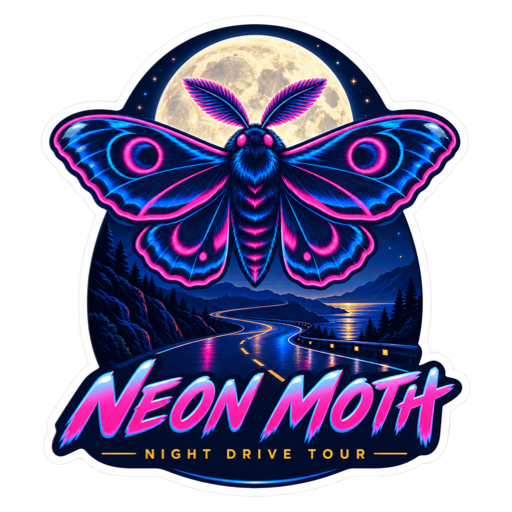
Example: Neon Moth is a made-up band.Go on, peel it.
How it works
Make it. Number it. Drop it.
-
1Make it.
From your art, your logo or a few words. $2.
-
2Number it.
As many copies as you like, or a numbered run.
-
3Drop it.
Post the link. Fans claim it in any browser.
A sticker you make is $2. Sharing and claiming are free.
The drop
Low numbers go first.
Your link opens a page with the sticker and a live count. Fans see the number they’re getting.
Neon Moth · Night Drive
The tour sticker, numbered.
Free · any browser
Get No. 89
Right where they work.
On their wallpaper, under their windows, there every time they look up. One click opens whatever you link next.
Paperless. No paper, no plastic, nothing to ship or throw away. Just a keepsake from you, on their desk every day.
Hover the sticker, or pick it up.Tap the sticker, or hold it to pick it up.
Milestones
Every milestone, a drop.
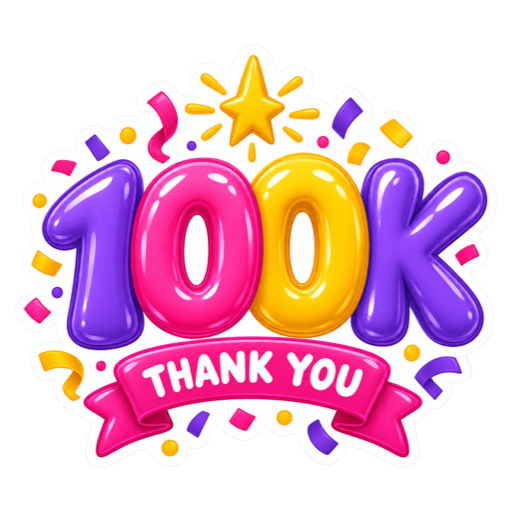
Hit 100k?
Thank the fans who got you there with a numbered sticker of the moment.
Always your newest link.
Tour dates now, the new video next week. Every copy out there follows.
See what it did.
Clicks per day, claims per share link. Stats are in the Mac app’s right-click menu, or under Your stickers on /create.
Broadcast
Your sticker, on their desktop and phone.
Followers hold your broadcast sticker. You send them a voice note or a short message, and it shows up on it.
They choose you.
A follower holds your sticker and taps Allow once. One tap on Stop ends it, everywhere.
Your own link.
Anyone can make a broadcast sticker in the app, and share deskslap.com/@yourname so people can follow it. One is free; each more is $2.
Voice or words.
Text up to 280 characters, or a voice note up to 60 seconds that plays one centred word at a time. A link can go to YouTube, Instagram, TikTok and the other platforms we allow.
Pictures with Plus.
Broadcast Plus adds up to four pictures to a broadcast. Videos and files are never sent.
They can react, not reply.
You see the totals, never who reacted. A broadcast is one-way, so there is no inbox to wade through.
Quiet by design.
At most three notifications a week reach any follower, from every broadcaster together, and only between 9 am and 8 pm their time. The rest wait as a dot on your sticker.
Broadcasts are public announcements, so they are checked before they go out and are not end-to-end encrypted like messages between friends. A new sender’s first five are read by a person first.
Creator programme
The first 50 verified creators get a year of Broadcast Plus, free.
Anyone can broadcast. Verification adds the Verified creator badge, so followers know it is really you.
Free
5 a week
Five broadcasts a week from each broadcast sticker, for anyone.
Broadcast Plus
150 a week
Pictures too. A weekly subscription in the app, priced by the store. Free for one year for the first 50 verified creators.
Apply with your links.
Your Instagram, TikTok, YouTube or wherever you are.
Put a code in one bio.
We show you a short code when you apply. Add it to one of your profiles.
A person checks it.
Verification is by hand at the start, so it takes a little while.
Apply to the programme
Tell us where to find you. A person reads every application.
Messaging opens with the next release of the apps. Applications open with it.
Your application
Questions.
Can it be my own art?
Yes: your art, your logo, your band’s name.
Is it free for fans?
Yes. A sticker goes out free with a share link, numbered or not, and fans keep every copy they claim.
What about fans without a Mac?
They can claim it in any browser. To keep it on a desktop, they need a Mac with macOS 14 or later.
Can I change where it links?
Any time. Every copy already out there follows the new link.
Can followers reply to a broadcast?
No. They can react, and you see the totals, never who reacted. A broadcast is one-way, so your inbox stays yours.
How many broadcasts can I send?
5 a week from each broadcast sticker, for free. Broadcast Plus raises it to 150 a week and adds pictures. The first 50 verified creators get Broadcast Plus free for one year.
Do I need to be verified to broadcast?
No. Anyone can make a broadcast sticker in the app and send from it. Verification is a badge: it tells your followers the sticker really is yours.
How do I get verified?
Apply with your profile links, then put a short code in one of your bios. A person checks it, so it is not instant.